Unable to Access the CORE Calculator Mobile App
Purpose: This
article provides troubleshooting steps for users who are unable to access the
CORE Calculator mobile Application. The goal is to help user quickly resolve common issues related to internet connectivity,
outdated app versions, or device configuration before raising a support ticket.
Troubleshooting & Resolution Steps (to be followed before raising a support ticket)
Troubleshooting & Resolution Steps (to be followed before raising a support ticket)
Step 1: Verify Internet Connection
- Ensure you
have a stable internet connection (Wi-Fi or mobile data).
- Check
whether other apps on your device are working properly to rule out connectivity issues.
Step 2: Check App Version
- Open the
CORE Calculator app.
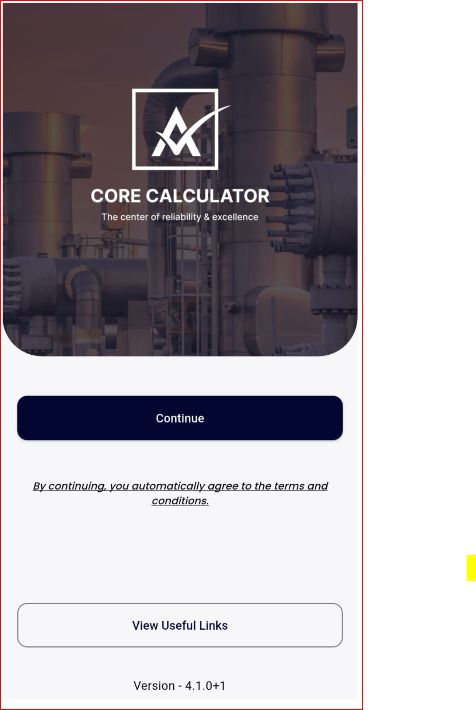
- Verify the
version number displayed at the bottom of the main
screen.
- If your version is outdated, uninstall the app and reinstall the latest version from the App Store / Google Play Store.
✅ Current latest version: 4.1.0+1
Step 3: Clear App Cache & Data
- Android Users:Go to Settings > Apps > Core Calculator > Storage, Tap Clear Cache and Clear Data.
- iOS Users:Uninstall and reinstall the app.This will automatically clear all cached data.
Step 4: Test on a Different Device
- Try to log into the app on another device using the same account.
- This helps confirm whether the issue is specific to your current device.
Step 5: Record the Issue
- If the problem persists, record a short video showing:
The steps you are taking.
The exact error message or issue observed. - This will help the technical team analyze the issue effectively.
Step 6: Collect Device Information
- If the issue still occurs, kindly share the following details when raising the concern to AsInt’s support:Device modelOperating system versionCORE Calculator App version currently installed